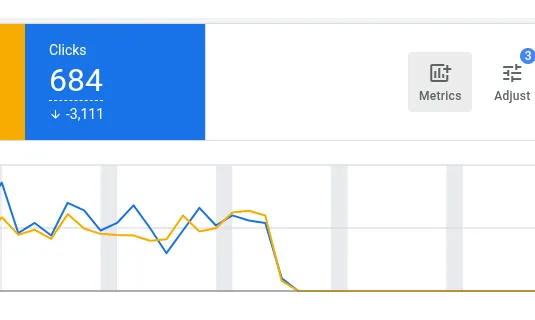

If you’re running Google Ads for an ecommerce store, one of the easiest ways to lose revenue is through campaigns that are “Limited by budget.”
The problem? Most teams don’t spot them in time.
Cleargro automatically monitors your Google Ads account and flags high-performing campaigns that are being capped by budget – so you can scale what’s working before you lose sales.
Google Ads Limited by Budget Meaning
The official definition of Limited by budget from Google is:
“The campaign is active and can show ads, but not as often as it could due to budget constraints.”
In other words:
- Demand exists
- Your ads are eligible to show more (meaning more sales)
- But your current daily budget is restricting performance
Top tip: The Limited by budget status is known to be unreliable, and does not always mean your campaigns will receive more impressions if you increase the daily budget. To verify if your campaign is truly losing impressions, you must also check the Search lost IS (budget) metric.
The Search lost IS (budget) metric is “The percentage of time that your ads weren’t shown on the Search Network due to insufficient budget.”
So this is a much more reliable indicator that your ads are not being shown due to insufficient budget.
Why “Limited by Budget” Matters
For ecommerce sites, a “limited by budget” status matters because it usually means profitable demand is being left on the table.
When campaigns cannot stay competitive throughout the day or across all eligible auctions, the business can miss high-intent shoppers who were ready to buy, which reduces revenue, weakens product visibility, and gives competitors more room to capture demand.
It also makes performance less efficient over time, because strong campaigns are constrained before they can fully scale, making it harder to grow sales, hit ROAS targets at volume, and learn where the best expansion opportunities are.
For growing ecommerce stores, this is one of the most common hidden growth blockers.
The Problem with Manual Monitoring
To catch this manually, you need to:
- Regularly check campaign status in Google Ads
- Cross-reference Lost IS share budget, ROAS and revenue
- Decide whether scaling is profitable
- Repeat constantly
Across multiple campaigns, this quickly becomes time-consuming – and easy to overlook.
How Cleargro Automatically Flags Limited by Budget Campaigns
Cleargro connects directly to Google Ads and continuously monitors your campaigns so it can:
- Detect campaigns which are losing impression share due to budget.
- Cross-checks ROAS against your set target.
- Highlight campaigns that are being limited by budget
- Surfaces them as clear, actionable growth opportunities
- Email stakeholders as soon as a problem is found
So instead of digging through dashboards, you get a prioritised email alert telling you which campaigns are losing you revenue.
Built for Ecommerce Teams Who Want to Scale
Cleargro is ideal for:
- Shopify stores running multiple campaigns
- Ecommerce teams without time to manually monitor ads
- Agencies managing multiple client accounts
- Businesses focused on growing revenue without wasting spend
If you’re investing in Google Ads, you shouldn’t be unaware of profitable campaigns being capped.
Stop Manually Checking Google Ads
If you’re searching for:
- A tool to monitor Google Ads campaigns
- Software to detect “Limited by budget” campaigns
- A way to automatically flag scaling opportunities
Cleargro does it automatically.
- No constant dashboard checking.
- No missed opportunities.
- No guesswork.
Cleargro finds the opportunities – you drive the results.
Start Your Free Trial of Cleargro
If you’re serious about scaling Google Ads profitably, don’t leave revenue sitting behind budget caps.
Start your free 14-day trial of Cleargro and automatically uncover campaigns that are limited by budget – along with other high-impact growth opportunities across your store.
Connect your ecommerce store and Google Ads accounts in minutes and see exactly where you can scale with confidence.
Want to find out more first? Check out the other features Cleargro has to help ecommerce teams grow revenue.
Stop manually checking. Start growing.
You may also like