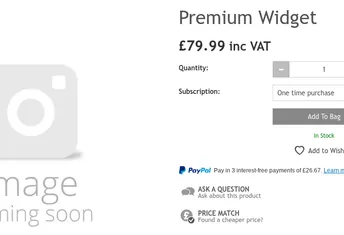

When you’re running an ecommerce store – especially one with a large or frequently changing catalogue – it’s surprisingly easy for products to go live without a description. Whether new items are added by supplier feeds, imported in bulk via CSV, or created by multiple team members, gaps happen. And one of the most common (and damaging) issues is missing product descriptions.
If you’re wondering “How do I find all products in Shopify that are missing a description?”, this guide walks you through the manual method and a far easier, automated solution.
Why Missing Product Descriptions Are a Big Problem
A product without a description isn’t just an incomplete listing—it’s a direct hit to your traffic and sales.
1. Significant negative impact on organic search
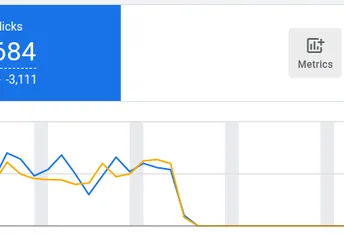
Search engines depend heavily on product descriptions to understand what a product is about. If it’s missing, Google can’t index it properly. That means:
- Lower rankings
- Reduced impressions
- Decreased organic traffic
2. Poor performance in paid campaigns
Product descriptions also feed key fields in Google Shopping, Performance Max, and other ad channels. Missing descriptions = lower relevance scores and fewer impressions.
3. Lower visibility in your internal search
Your Shopify theme’s search function draws from product titles and descriptions. No description means your product may not appear for relevant queries.
4. Lower conversion rate
Even if customers find the product, a blank description leaves them without crucial details—features, benefits, dimensions, compatibility, and more. Most will bounce rather than buy.
In short: identifying and fixing products with missing descriptions should be a top priority for every ecommerce team.
How to Find Shopify Products With No Description
The Hard Way: Manually Using Shopify’s Product Export
Shopify doesn’t offer a built-in filter to show all products missing a description, so you need to do it manually:
- Export your entire product catalogue as a CSV.
- Open the file in Excel or Google Sheets.
- Find the
Body (HTML)column — this is where Shopify stores descriptions. - Apply a filter to show only rows where this field is blank.
- Review the list and update the products in Shopify.
Pitfalls of this method:
- You need to remember to do this regularly.
- You won’t know if there are any products missing a description until you have gone through the whole process.
- You don’t know which products to prioritise to make the biggest impact on revenue.
For growing stores or teams managing thousands of SKUs, this process becomes a drain on time and resources.
The Easy Way: Automatically Find Missing Descriptions With Cleargro
Instead of manually exporting and checking your catalogue, Cleargro continuously monitors your Shopify inventory and alerts you as soon as a product is missing a description.
Here’s how it works:
- Cleargro integrates directly with your Shopify store
- It scans your product data automatically, every day
- The moment it detects a product with a missing description, it notifies you or your team
- No exports, no spreadsheets, no manual checks
You’ll know immediately when something needs attention—before it affects sales, traffic, or customer experience.
Sounds great, tell me more…
Every ecommerce store has hidden opportunities to increase sales through smarter inventory optimisation. The challenge is uncovering those opportunities and knowing which ones will actually move the needle.
Cleargro solves that.
Cleargro is a platform which integrates with your ecommerce store and continuously analyses your product data to identify issues and opportunities that impact visibility, conversion rate, and revenue. Each opportunity is prioritised based on potential business impact, helping teams focus their time on what matters most.
Finding missing product descriptions is just one of the many insights Cleargro provides. To explore all the opportunities we monitor, head over to our Opportunities page.
Other news stories